All guides
Getting started
What is Submittal Kit Create Your Workspace Your First Project Search Everything The Dashboard Help and What's New Abbreviations We UnderstandProjects & Schedule
Project Settings Schedule and MilestonesEquipment Register
Equipment Register Basics Import a BOM Equipment DocumentsParts & Library
The Parts Library Part Documents Find Datasheets The Document Library Search Inside DocumentsSubmittals
Create a Submittal Configure Sections Choose Equipment Scope Compile a Submittal O&M Manuals Submittal Numbering Cover Pages Package LayoutsRevisions & Review
Issue a Revision Submittal Log Returned Reviews Comment Response Log Record an External Submittal Share with an outside reviewerRFIs
RFI Basics RFI Log RFI LayoutsField & QA
Punch Lists As-Built RedlinesSpecifications & Scope
Upload Specifications Spec CheckProcurement & Change Orders
Quotes and Purchase Orders Coverage and Lead Times Change Orders Budget and SOVDirectory & Team
Firms & Contacts Team & Access Personnel & CertificationsSettings & Billing
Company Identity Library Vocabulary Billing and PlansIntegrations
Connect an AgentHelp Submittals
View as MarkdownO&M Manuals
Build closeout manuals from the submittals you already issued, without rebuilding the equipment list.
Closeout is usually a scramble: months after the submittals went out, someone rebuilds the same equipment list from memory to assemble the O&M manual. Here the manual starts from the submittal you already issued, equipment included.
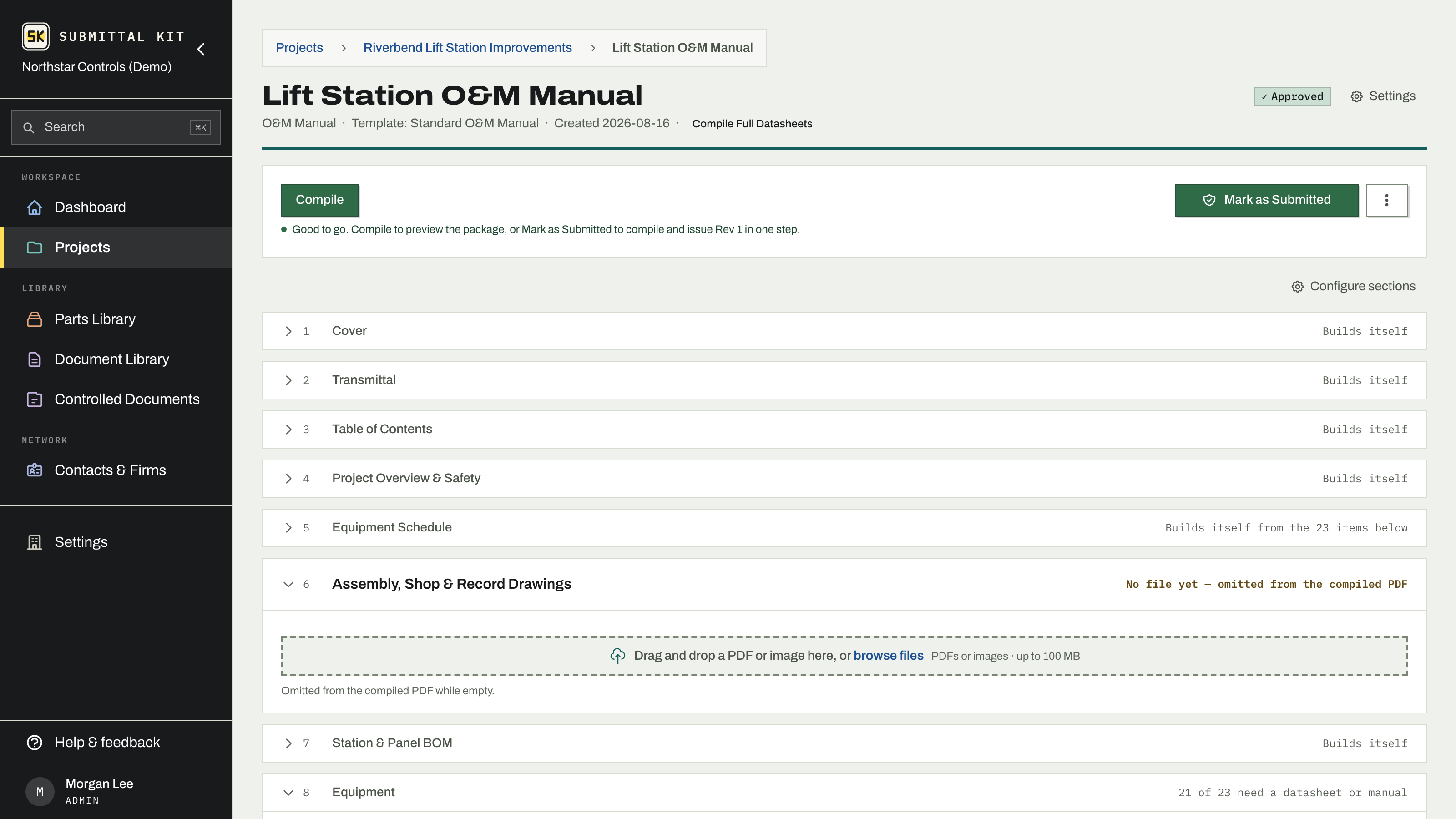
Create one from an existing submittal
- Open the action submittal that covers the equipment.
- In Linked submittals, click Create O&M Manual from this submittal.
- Adjust the name (it defaults to the submittal's name plus O&M) and pick a closeout type: O&M Manual, Warranty, or Record Documents.
- Click Create.
The manual shares the submittal's equipment list live: one list in both packages, and a change made in either shows up in both. Approved substitutions made during review are already in the manual with nothing retyped. The link between the two stays visible on both pages.
You can also create a manual from scratch on the Submittals tab; pick a closeout type in the New Submittal form and scope equipment into it as usual.
Built for turnover
A manual is a submittal with a closeout recipe, so everything works the way you already know. The standard O&M template opens with cover, transmittal, and table of contents, then Equipment chapters that collect each item's datasheets and manuals, and it carries the section roles closeout asks for:
- Warranties for guarantees and warranty letters.
- Testing & Commissioning for startup and test reports.
- Emergency Contacts and Competent Persons, generated from your personnel roster with the people you check off.
- Company Policy Documents, pulling in reusable PDFs such as your safety manual.
Add, reorder, or rename sections exactly as on any submittal.
Name, compile, issue
Manuals follow their own name format, set by admins under Settings > Numbering & review with the same tokens as submittal numbers; see Submittal numbering. Compile produces the same bound, bookmarked PDF, and Mark as Submitted issues a revision onto the log like any other package.
Create the manual early and let it ride the shared equipment list all job long. At closeout, you compile instead of scramble.
Updated Aug 15, 2026
Can't find it? [email protected]