All guides
Getting started
What is Submittal Kit Create Your Workspace Your First Project Search Everything The Dashboard Help and What's New Abbreviations We UnderstandProjects & Schedule
Project Settings Schedule and MilestonesEquipment Register
Equipment Register Basics Import a BOM Equipment DocumentsParts & Library
The Parts Library Part Documents Find Datasheets The Document Library Search Inside DocumentsSubmittals
Create a Submittal Configure Sections Choose Equipment Scope Compile a Submittal O&M Manuals Submittal Numbering Cover Pages Package LayoutsRevisions & Review
Issue a Revision Submittal Log Returned Reviews Comment Response Log Record an External Submittal Share with an outside reviewerRFIs
RFI Basics RFI Log RFI LayoutsField & QA
Punch Lists As-Built RedlinesSpecifications & Scope
Upload Specifications Spec CheckProcurement & Change Orders
Quotes and Purchase Orders Coverage and Lead Times Change Orders Budget and SOVDirectory & Team
Firms & Contacts Team & Access Personnel & CertificationsSettings & Billing
Company Identity Library Vocabulary Billing and PlansIntegrations
Connect an AgentHelp Submittals
View as MarkdownCompile a Submittal
Turn a submittal's sections and equipment into one bound, bookmarked PDF.
Merging thirty PDFs into a package, bookmarking it, and finding page 214 is upside down is a whole afternoon. Compile does it in one click, and does it the same way every time.
One click, one package
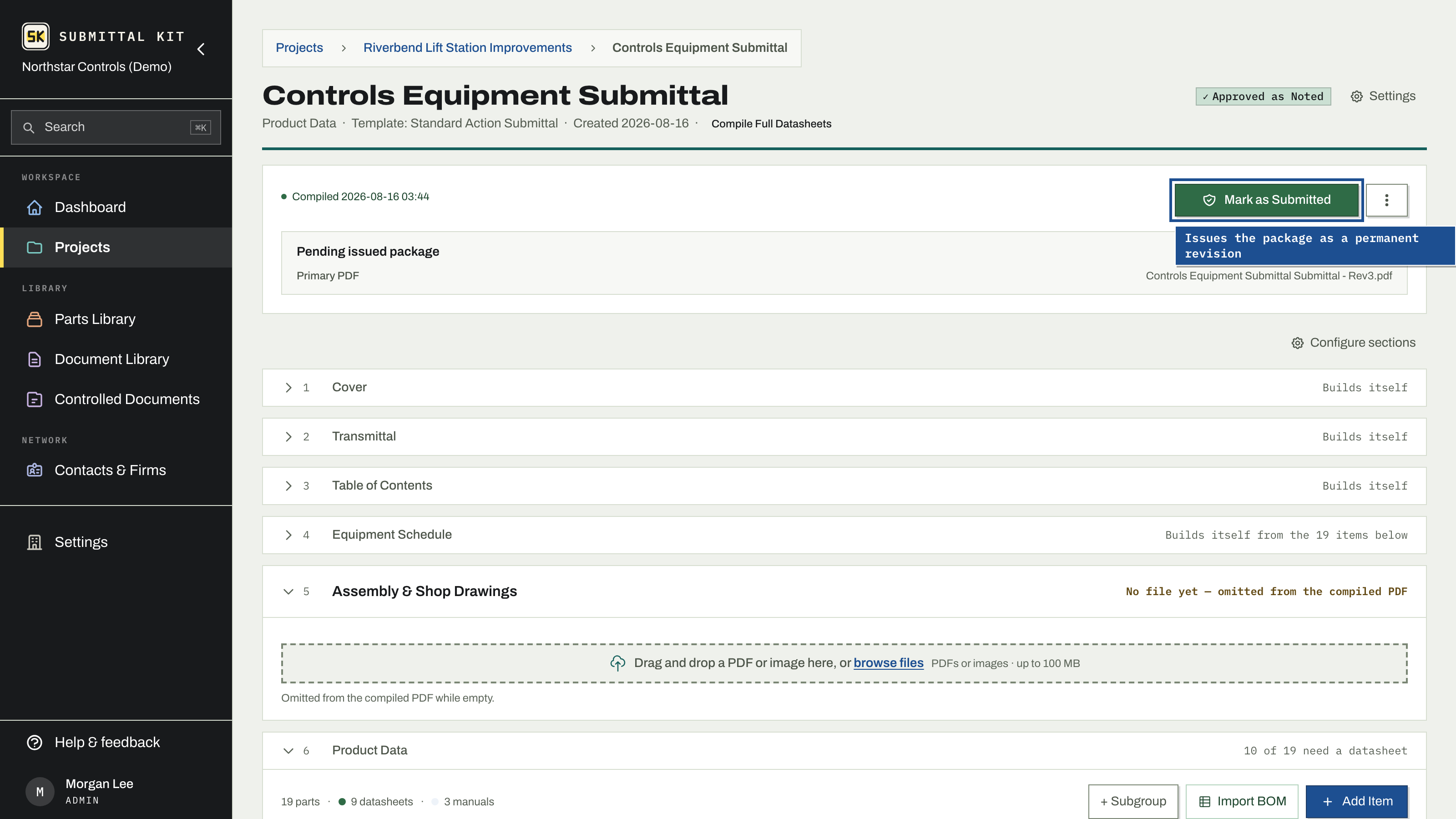
Press Compile and the submittal's recipe resolves into a single bound PDF: sections in your configured order, a table of contents, bookmarks for every section and item, and your catalog numbers highlighted on every datasheet. The compile runs as a background job with live progress on the page, so you can keep working. A Stop button ends it early; nothing is issued, and you can compile again anytime.
If something would break the compile, the page tells you before it starts. A blocked state names the file that will not open and links you to the equipment item that holds it, and the equipment list flags how many items carry an unreadable file. If a compile fails partway, nothing was issued and nothing was lost; fix the named file and compile again.
Freshness
A compiled PDF is a snapshot of the package at the moment you pressed the button. If the equipment scope or the register changes afterward, the page says so plainly: equipment changed since this was compiled, recompile before submitting. You find out before the reviewer has the PDF, not after.
When everything is in order the page says Good to go: compile to preview the package, or Mark as Submitted to compile and issue the revision in one step.
Download the results
- Download gets you the compiled PDF, named by your file name format.
- Download source documents exports every source PDF as its own file in a ZIP, with the package's bill of materials as an XLSX workbook at the top. The export runs as its own background job with the same progress and Stop controls, and you can rebuild it whenever the package changes.
To get the compiled package to someone outside your company without attaching it, share it with an outside reviewer.
Compile as often as you like. Compiling never issues anything; only Mark as Submitted creates a permanent revision record.
Updated Sep 6, 2026
Can't find it? [email protected]