All guides
Getting started
What is Submittal Kit Create Your Workspace Your First Project Search Everything The Dashboard Help and What's New Abbreviations We UnderstandProjects & Schedule
Project Settings Schedule and MilestonesEquipment Register
Equipment Register Basics Import a BOM Equipment DocumentsParts & Library
The Parts Library Part Documents Find Datasheets The Document Library Search Inside DocumentsSubmittals
Create a Submittal Configure Sections Choose Equipment Scope Compile a Submittal O&M Manuals Submittal Numbering Cover Pages Package LayoutsRevisions & Review
Issue a Revision Submittal Log Returned Reviews Comment Response Log Record an External Submittal Share with an outside reviewerRFIs
RFI Basics RFI Log RFI LayoutsField & QA
Punch Lists As-Built RedlinesSpecifications & Scope
Upload Specifications Spec CheckProcurement & Change Orders
Quotes and Purchase Orders Coverage and Lead Times Change Orders Budget and SOVDirectory & Team
Firms & Contacts Team & Access Personnel & CertificationsSettings & Billing
Company Identity Library Vocabulary Billing and PlansIntegrations
Connect an AgentHelp Integrations
View as MarkdownConnect an Agent
Give your assistant read access to projects, parts, specs, and documents, with revisions and deletions kept out of reach.
Your assistant is only as useful as what it can see, and today it can't see your register, your spec, or your submittal log, so you copy and paste. Connect it to Submittal Kit over MCP and it works from the same record you do.
What a connected agent can do
- Look up your projects and page through a project's Equipment Register, with each item reporting its datasheet coverage.
- Search your parts and documents, search inside PDFs, and read a document's full extracted text.
- Search the project spec's full text and answer questions from it, citing the sections it drew on.
- Draft RFIs, including a follow-up that re-asks a sent RFI within its thread. Numbering and sending stay in the app, with you.
- Create submittals, read the submittal log, start compiles, and check compile progress.
- Queue datasheet discovery for up to 25 parts at once.
- Read these help guides, so it can answer "how do I" questions about Submittal Kit itself.
What it can never do
A connected agent cannot delete records, overwrite your work, issue a revision, or change billing. And any document it finds for you waits as a candidate in your review queue on the part's page: nothing auto-attaches, so a wrong datasheet costs you a click, not a bad submittal.
Connect it
- Point your assistant at your Submittal Kit workspace (most tools ask for a connection URL or pick Submittal Kit from a catalog).
- It sends you through the standard authorization flow. The consent screen names who is asking, the account and workspace it will act as, and where it redirects. Approve only if you started the connection and recognize the destination.
- That's it. The agent now acts with your access, and everything it does is attributed to your account.
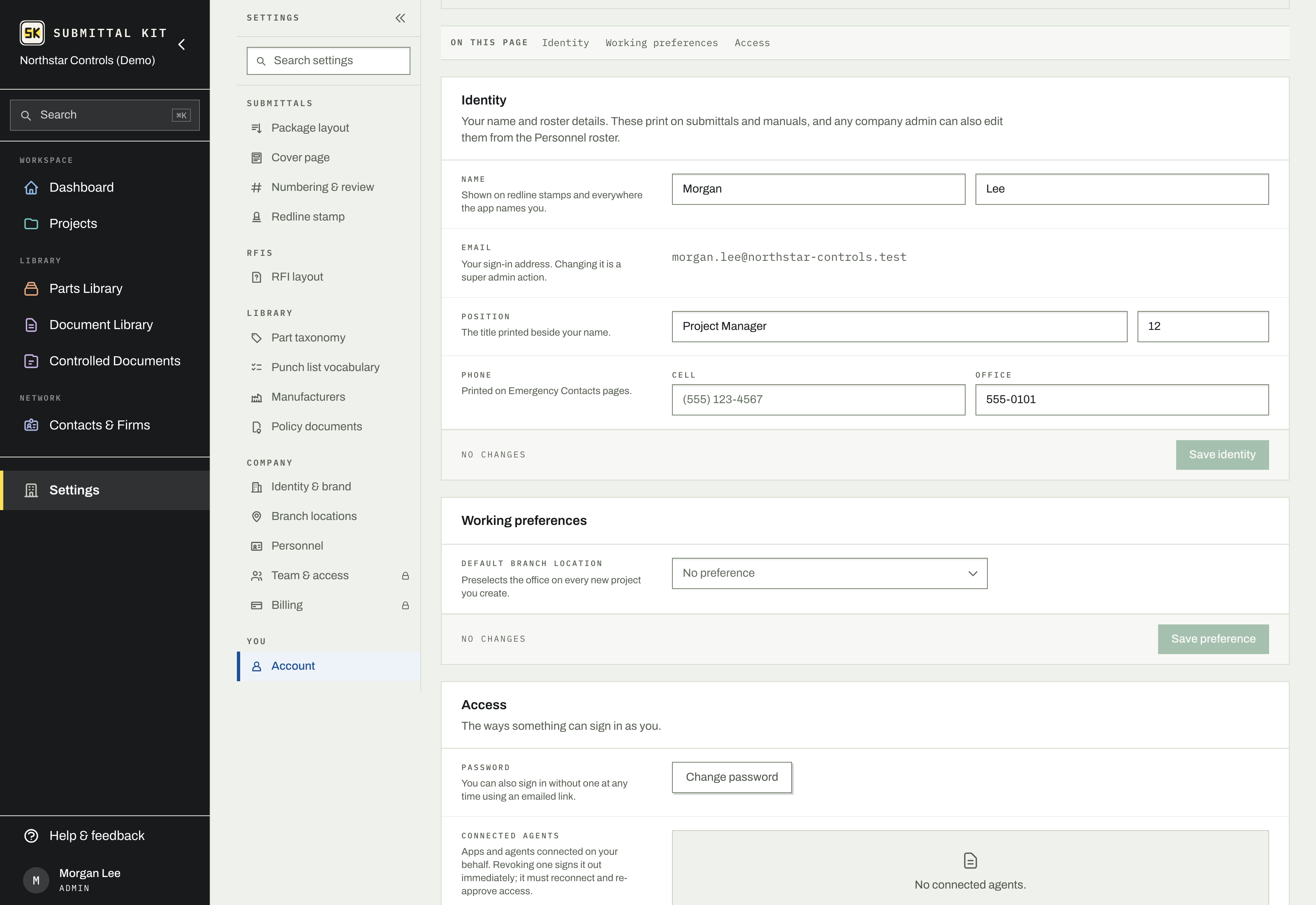
Manage connections under Settings, Account, in the Access section: every connected agent is listed with when it connected and when it was last used, and you can revoke one at any time. A revoked agent must reconnect and be approved again.
The help center is agent-readable
Every guide here is also served as plain text at its URL plus .md, and the index lives at /llms.txt. If your assistant needs to know how a feature works, it can read the same pages you do.
Updated Aug 15, 2026
Can't find it? [email protected]