All guides
Getting started
What is Submittal Kit Create Your Workspace Your First Project Search Everything The Dashboard Help and What's New Abbreviations We UnderstandProjects & Schedule
Project Settings Schedule and MilestonesEquipment Register
Equipment Register Basics Import a BOM Equipment DocumentsParts & Library
The Parts Library Part Documents Find Datasheets The Document Library Search Inside DocumentsSubmittals
Create a Submittal Configure Sections Choose Equipment Scope Compile a Submittal O&M Manuals Submittal Numbering Cover Pages Package LayoutsRevisions & Review
Issue a Revision Submittal Log Returned Reviews Comment Response Log Record an External Submittal Share with an outside reviewerRFIs
RFI Basics RFI Log RFI LayoutsField & QA
Punch Lists As-Built RedlinesSpecifications & Scope
Upload Specifications Spec CheckProcurement & Change Orders
Quotes and Purchase Orders Coverage and Lead Times Change Orders Budget and SOVDirectory & Team
Firms & Contacts Team & Access Personnel & CertificationsSettings & Billing
Company Identity Library Vocabulary Billing and PlansIntegrations
Connect an AgentHelp Projects & Schedule
View as MarkdownSchedule and Milestones
A working-day schedule with chained milestones, a draggable timeline, and dates that cascade.
The dates that drive a job (order-by, ship, FAT) usually live in a spreadsheet on someone's desktop, and when FAT slips, someone retypes every date after it. Here the schedule is on the project, and a slip moves the chain by itself.
Build the chain
Open Schedule from the project's Logs & lists band.
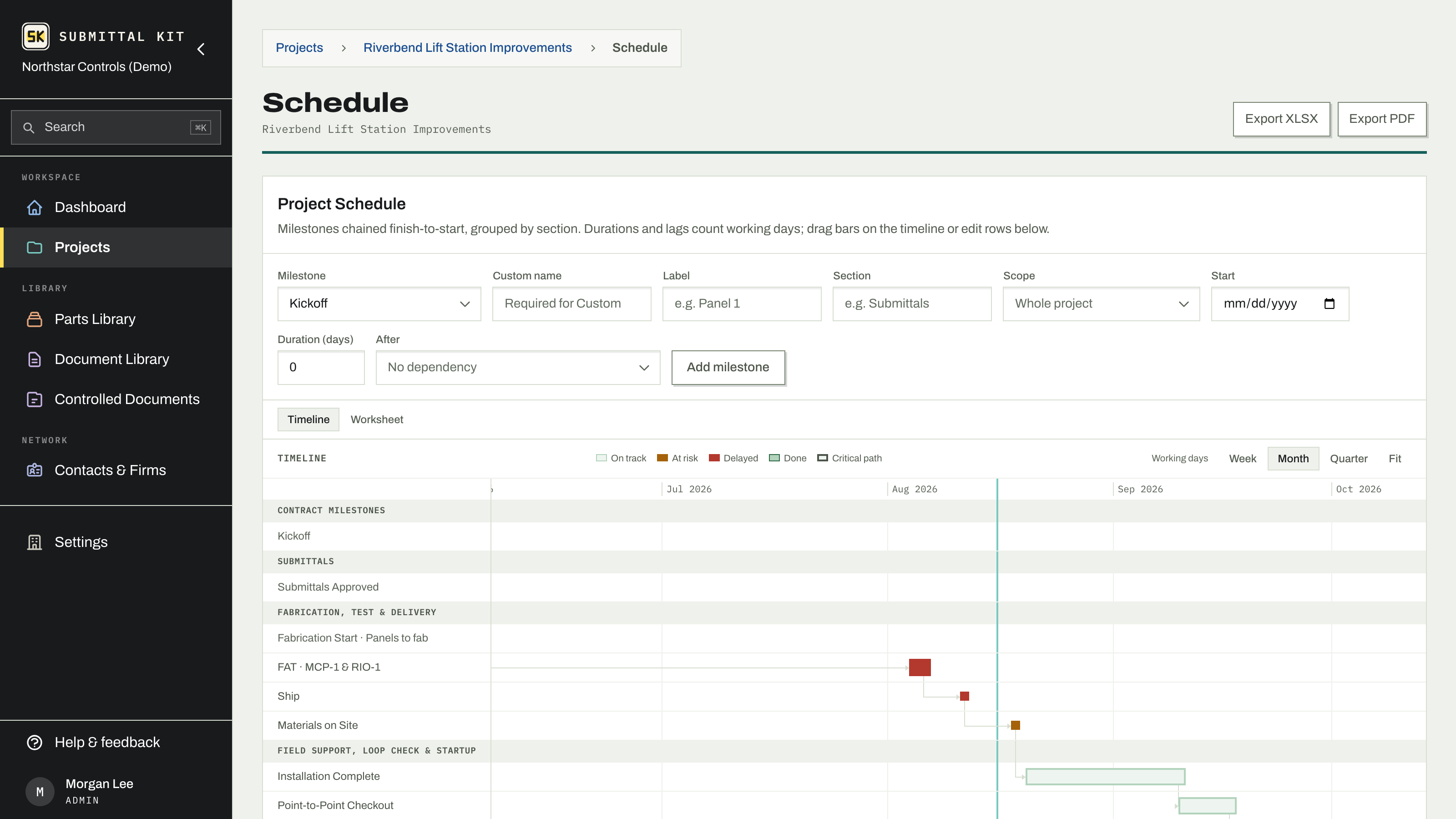
- Add a milestone with a name, an optional section for grouping, and a duration.
- Pick its predecessor in the After field, with an optional lag.
- Dates work themselves out from there. Slip one milestone and everything chained after it moves with it.
Durations and lags count working days, so weekends stop hiding inside "10 days of fabrication". On an empty schedule, Start from the standard sequence takes one kickoff date and lays down Kickoff through Substantial Completion, already chained with typical spacing; drag it into your contract's shape from there.
The timeline
Above the table, a Gantt timeline draws the plan as bars you can drag and resize, with week, month, and quarter views and a today line. The chain that decides the finish date gets a heavier outline, milestones that drive purchasing say so on their row, and dragging a bar shows the date it will land on. Dragging a dependent bar adjusts its lag behind its predecessor, so the chain stays honest.
Actuals, undo, and history
When a milestone actually happens, record its actual date. That pins it where it really landed and the rest of the plan flows from reality instead of the estimate. Every edit that ripples shows an Undo, and a history keeps who moved what, when.
What reads from it
The schedule is one plan, not three. Procurement need-by dates and the Submittal Log's proposal hint read from it, the dashboard's schedule rail shows its dated items with PAST and SLIP chips, and project followers get an email when one edit moves the finish date a week or more (see Project settings).
In and out
Export XLSX and Export PDF produce a spreadsheet and a Gantt for anyone who wants familiar paper. Import schedule from XLSX accepts the export's own columns back; note that importing replaces the whole schedule.
Seed the standard sequence on day one even if half the dates are guesses. A rough chain that cascades beats precise dates that go stale.
Updated Aug 15, 2026
Can't find it? [email protected]