All guides
Getting started
What is Submittal Kit Create Your Workspace Your First Project Search Everything The Dashboard Help and What's New Abbreviations We UnderstandProjects & Schedule
Project Settings Schedule and MilestonesEquipment Register
Equipment Register Basics Import a BOM Equipment DocumentsParts & Library
The Parts Library Part Documents Find Datasheets The Document Library Search Inside DocumentsSubmittals
Create a Submittal Configure Sections Choose Equipment Scope Compile a Submittal O&M Manuals Submittal Numbering Cover Pages Package LayoutsRevisions & Review
Issue a Revision Submittal Log Returned Reviews Comment Response Log Record an External Submittal Share with an outside reviewerRFIs
RFI Basics RFI Log RFI LayoutsField & QA
Punch Lists As-Built RedlinesSpecifications & Scope
Upload Specifications Spec CheckProcurement & Change Orders
Quotes and Purchase Orders Coverage and Lead Times Change Orders Budget and SOVDirectory & Team
Firms & Contacts Team & Access Personnel & CertificationsSettings & Billing
Company Identity Library Vocabulary Billing and PlansIntegrations
Connect an AgentHelp Procurement & Change Orders
View as MarkdownCoverage and Lead Times
See what still needs ordering, when to order it, and export the material order form.
The worst procurement news arrives on its own schedule: a sixteen-week part you needed to order a month ago. The Coverage view exists so that news comes from your own screen, early, instead of from a vendor, late.
What Coverage shows
Open the Procurement tab. Coverage derives demand straight from the Equipment Register: install quantity plus spares for every part, totaled across the whole job. A part shared across phases reads the same honest total on every row it appears on, never a per-panel guess.
Each item carries a status (Released for purchase, Not ordered, Partially received, On site), a coverage bar showing units received against units needed, and the submittal that covers it. Filter chips and search flatten the tree to exactly the rows you're chasing.
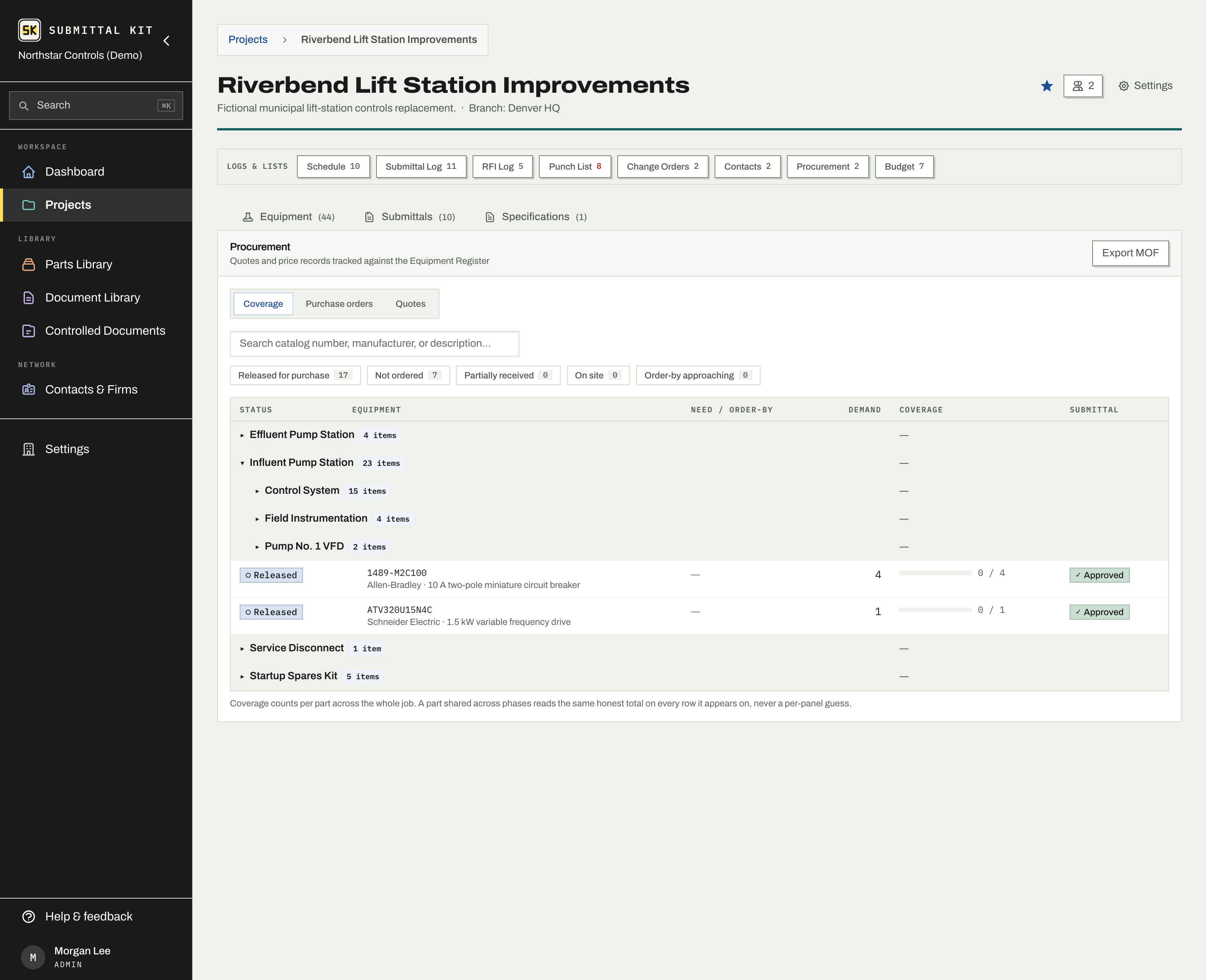
Need-by and order-by
Every item resolves a need-by date from a simple ladder: its own entered need-by if you set one, otherwise the Fabrication Start milestone scoped to the group that contains it, otherwise Materials on Site. Dates you maintain once on the schedule flow to every part they govern.
Order-by is that need-by minus the part's lead time. The lead time comes from an active quoted price if one carries it, otherwise from the median of your own actual receiving history for that part. When an order-by date is within two weeks, the row shows an ORDER BY warning; when a vendor's promised date slips past the need-by for a part still short of site coverage, it shows Late.
The dashboard's attention items run on exactly the same rules, so the dashboard and the Coverage view can never disagree about which part is in trouble.
Export the MOF
The material order form goes to whoever cuts the POs.
- Click Export MOF in the Procurement header.
- Choose the whole register or a single group.
- The export builds in the background with live progress; you can keep working, or press Stop if you picked the wrong scope. Stopping isn't a failure, and you can export again anytime.
- When it's ready, download the MOF ZIP.
No need-by date on a row usually means the milestone it resolves to hasn't been given a target date yet. Date the milestone once and every part under it gets its order-by math.
Updated Aug 15, 2026
Can't find it? [email protected]