All guides
Getting started
What is Submittal Kit Create Your Workspace Your First Project Search Everything The Dashboard Help and What's New Abbreviations We UnderstandProjects & Schedule
Project Settings Schedule and MilestonesEquipment Register
Equipment Register Basics Import a BOM Equipment DocumentsParts & Library
The Parts Library Part Documents Find Datasheets The Document Library Search Inside DocumentsSubmittals
Create a Submittal Configure Sections Choose Equipment Scope Compile a Submittal O&M Manuals Submittal Numbering Cover Pages Package LayoutsRevisions & Review
Issue a Revision Submittal Log Returned Reviews Comment Response Log Record an External Submittal Share with an outside reviewerRFIs
RFI Basics RFI Log RFI LayoutsField & QA
Punch Lists As-Built RedlinesSpecifications & Scope
Upload Specifications Spec CheckProcurement & Change Orders
Quotes and Purchase Orders Coverage and Lead Times Change Orders Budget and SOVDirectory & Team
Firms & Contacts Team & Access Personnel & CertificationsSettings & Billing
Company Identity Library Vocabulary Billing and PlansIntegrations
Connect an AgentHelp Equipment Register
View as MarkdownEquipment Documents
See every file behind an equipment entry and choose exactly what a compiled package includes.
The wiring diagram lives in an email, the site photo on a phone, and nobody is sure which datasheet went into the last package. Every equipment entry has one Documents view that answers all of it.
Two kinds of documents
Reusable datasheets and manuals belong on the part, in your shared Document Library, so every project that uses the part picks them up automatically. Project-specific material belongs on the entry: site photos and reports on a group, configuration summaries on an item. Entry documents live in this project only.
The document schedule
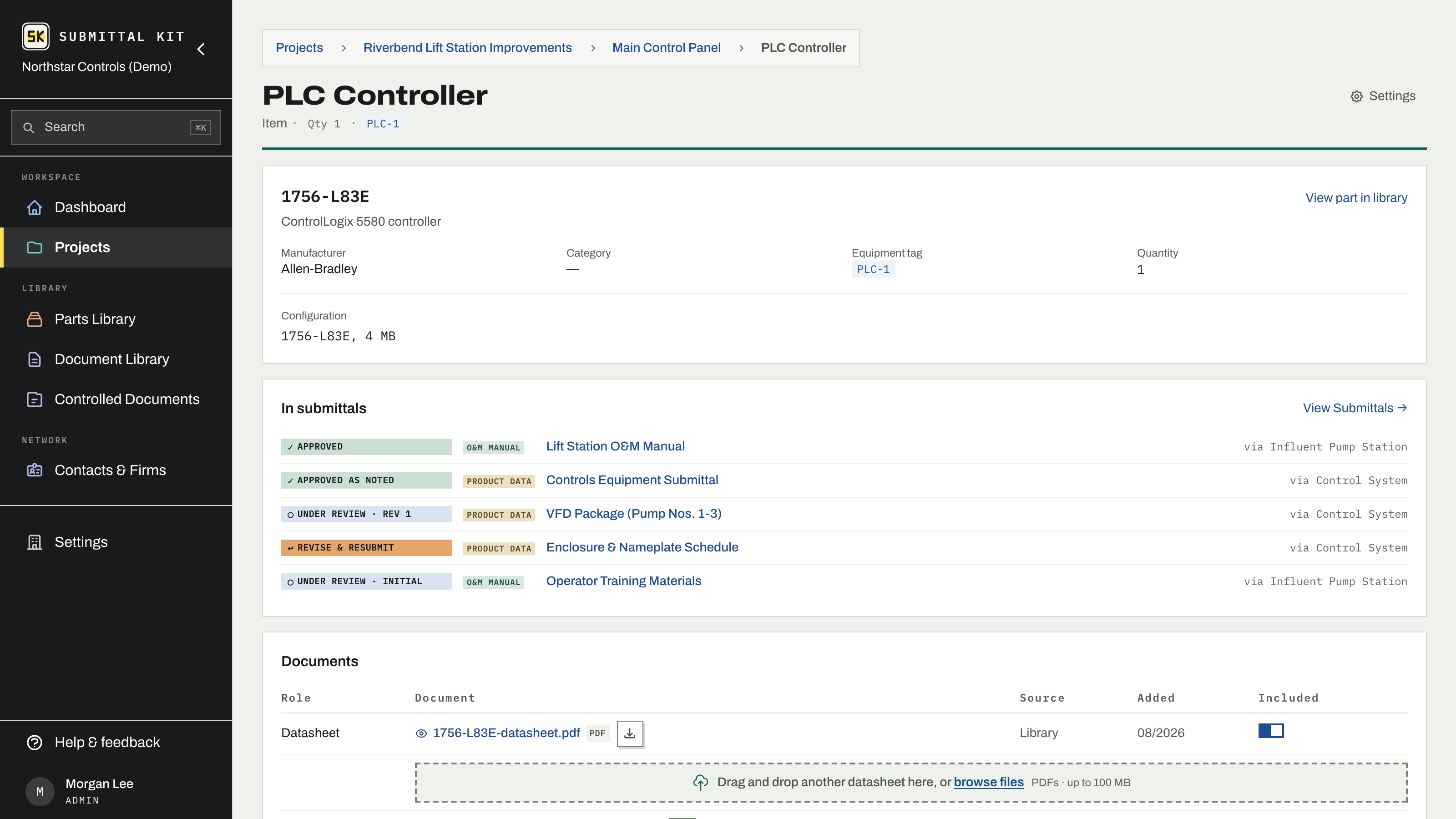
An item's page shows a Documents table with every file behind that equipment, grouped by role: Datasheet, Manual, and Other from the library, plus this entry's own uploads. Each row shows the document, its source (Library or This project), when it was added, and whether it is included.
Uploading into a library role from here files the document on the part itself, exactly as if you had done it from the part's page, so the next project gets it for free. Uploading a configuration summary stays with this entry.
Choosing what ships
Each library document row carries an Included switch. It controls document selection: whether that datasheet or manual feeds the compiled packages this entry appears in. Flip it off for the alternate-model sheet you keep for reference, and it stays out of every package without unlinking it from the part.
Which pages of an included datasheet actually ship is decided at the submittal, by its datasheet scope and the highlights on the document. See Choose equipment scope and Compile a submittal.
Entry uploads
On a group or item page, the Project Documents card takes direct uploads:
- Pick the role: Site photo (groups), Configuration summary, or Other.
- Drop a PDF or image. It uploads immediately.
- Delete a file from its row when it no longer belongs; the uploaded file is removed.
When you delete equipment in bulk, the preview lists entries that carry project documents and lets you check any to keep, so nothing irreplaceable leaves with a housekeeping pass. See Equipment Register basics.
If a datasheet you expect is missing from the schedule, it usually means the part has none yet. Start a hunt from the part page: Find datasheets.
Updated Aug 15, 2026
Can't find it? [email protected]