All guides
Getting started
What is Submittal Kit Create Your Workspace Your First Project Search Everything The Dashboard Help and What's New Abbreviations We UnderstandProjects & Schedule
Project Settings Schedule and MilestonesEquipment Register
Equipment Register Basics Import a BOM Equipment DocumentsParts & Library
The Parts Library Part Documents Find Datasheets The Document Library Search Inside DocumentsSubmittals
Create a Submittal Configure Sections Choose Equipment Scope Compile a Submittal O&M Manuals Submittal Numbering Cover Pages Package LayoutsRevisions & Review
Issue a Revision Submittal Log Returned Reviews Comment Response Log Record an External Submittal Share with an outside reviewerRFIs
RFI Basics RFI Log RFI LayoutsField & QA
Punch Lists As-Built RedlinesSpecifications & Scope
Upload Specifications Spec CheckProcurement & Change Orders
Quotes and Purchase Orders Coverage and Lead Times Change Orders Budget and SOVDirectory & Team
Firms & Contacts Team & Access Personnel & CertificationsSettings & Billing
Company Identity Library Vocabulary Billing and PlansIntegrations
Connect an AgentHelp RFIs
View as MarkdownRFI Basics
Write, send, and answer an RFI on one page, with the response read off the returned PDF.
An RFI usually lives in three places at once: a Word template, an email thread, and someone's memory of what was answered. Here the question and the answer share one page, numbered, dated, and findable.
Write it
Start a new RFI and everything is on one page: subject, the information request, an optional proposed solution, drawing and spec references, and notes. Body fields are rich text (bold, lists, links), and the draft saves itself as you type. The recipient comes from your project's firms and contacts, with the address staying editable. Attach whatever the question needs; PDFs and images ride in the issued document, while Word, Excel, and CSV files are tracked and downloadable alongside it.
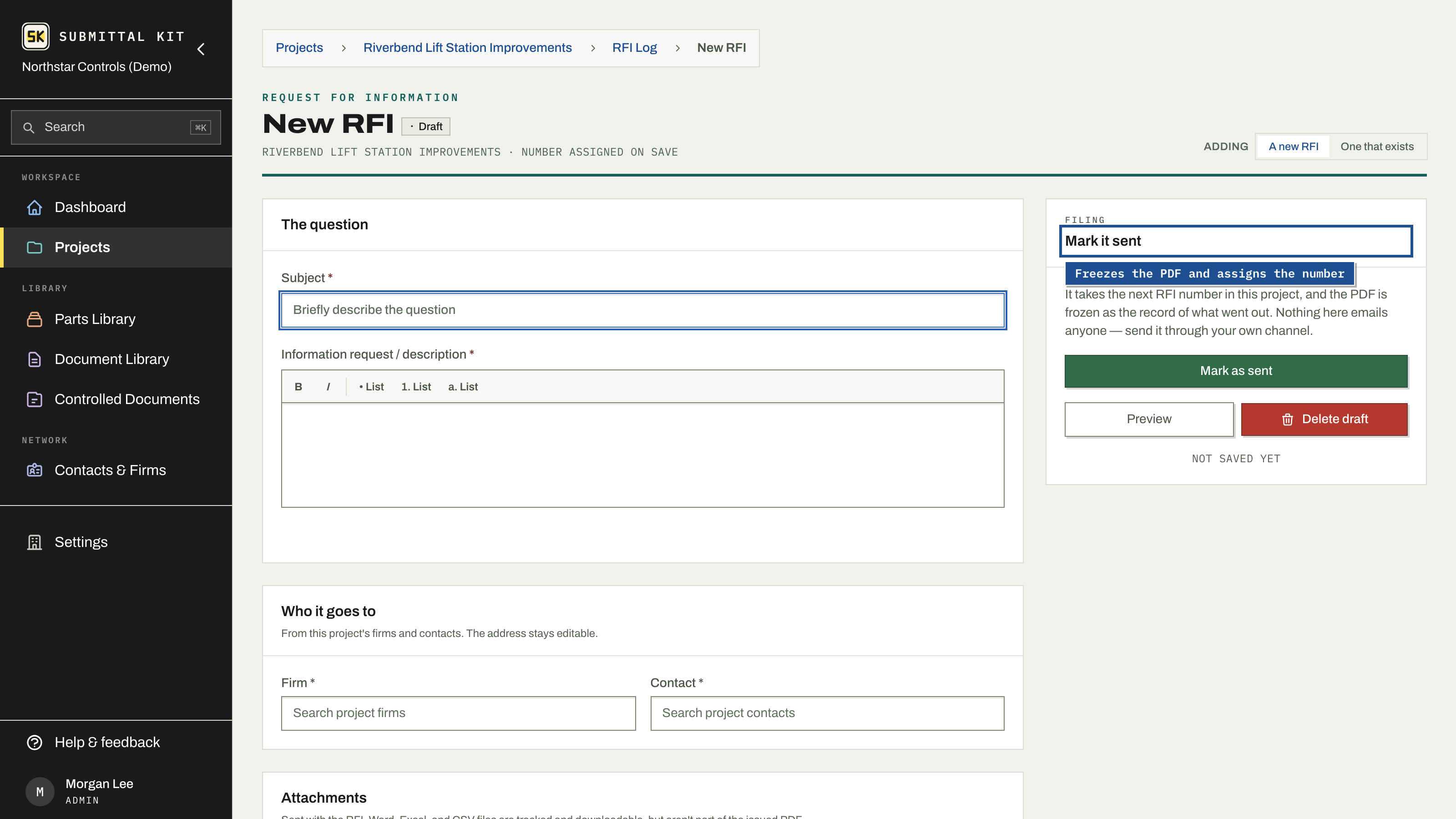
Preview, then mark it sent
Preview shows the finished document on your configured layout. Mark as sent assigns the next RFI number in the project and freezes the PDF as the record of what went out. Nothing here emails anyone: you send the PDF through your own channel, and the log starts counting the days.
If the record needs correcting after sending, edit it and rebuild the PDF; the page flags a record that has drifted from its document so the two never silently disagree.
Record the answer
When the response comes back:
- Drop the returned PDF under Got an answer back?.
- A reading of the document pulls the answer into the record: what it does to the work, who answered, the date, and the response text. A progress bar tracks it, and Stop lets you take over and type the answer yourself at any point.
- Review what was pulled in. Fields that came from the PDF are marked so you know what deserves a second look, and clearing a mark is one click.
No returned PDF? Expand Or record the answer by hand and type it in.
Every answer says what it does to the work: Changes the work, No change, or Needs more information. The read suggests one and the chip on the answered record shows it.
Or skip the inbox: Share in the header sends the RFI to a reviewer as a link. They read the PDF and its attachments on the page it opens, type the answer, pick its effect, and can attach a signed PDF. It waits under Answers from the share link until you Accept it, which files the PDF and puts the answer on the record. Share with an outside reviewer has the details.
Keep the thread together
Ask a follow-up re-asks within the same thread: the recipient, subject, and references carry over, the new question gets a sub-number, and nothing is renumbered. The answered question stays on the record above it.
Related RFIs cross-links records that touch the same issue: link one, add a note about why, remove the link any time. The link shows on both RFIs, and likely matches are suggested from the text of the log itself.
Track everything on the RFI Log, including RFIs that went out by email before the project moved here.
Updated Sep 12, 2026
Can't find it? [email protected]