All guides
Getting started
What is Submittal Kit Create Your Workspace Your First Project Search Everything The Dashboard Help and What's New Abbreviations We UnderstandProjects & Schedule
Project Settings Schedule and MilestonesEquipment Register
Equipment Register Basics Import a BOM Equipment DocumentsParts & Library
The Parts Library Part Documents Find Datasheets The Document Library Search Inside DocumentsSubmittals
Create a Submittal Configure Sections Choose Equipment Scope Compile a Submittal O&M Manuals Submittal Numbering Cover Pages Package LayoutsRevisions & Review
Issue a Revision Submittal Log Returned Reviews Comment Response Log Record an External Submittal Share with an outside reviewerRFIs
RFI Basics RFI Log RFI LayoutsField & QA
Punch Lists As-Built RedlinesSpecifications & Scope
Upload Specifications Spec CheckProcurement & Change Orders
Quotes and Purchase Orders Coverage and Lead Times Change Orders Budget and SOVDirectory & Team
Firms & Contacts Team & Access Personnel & CertificationsSettings & Billing
Company Identity Library Vocabulary Billing and PlansIntegrations
Connect an AgentHelp Directory & Team
View as MarkdownFirms & Contacts
Keep one company-wide directory of firms and people, and build each project's contact list from it.
The GC's PM changes email addresses once, and suddenly three projects have three different spellings of the same person. The directory fixes the record in one place, and every project reads from it.
The company directory
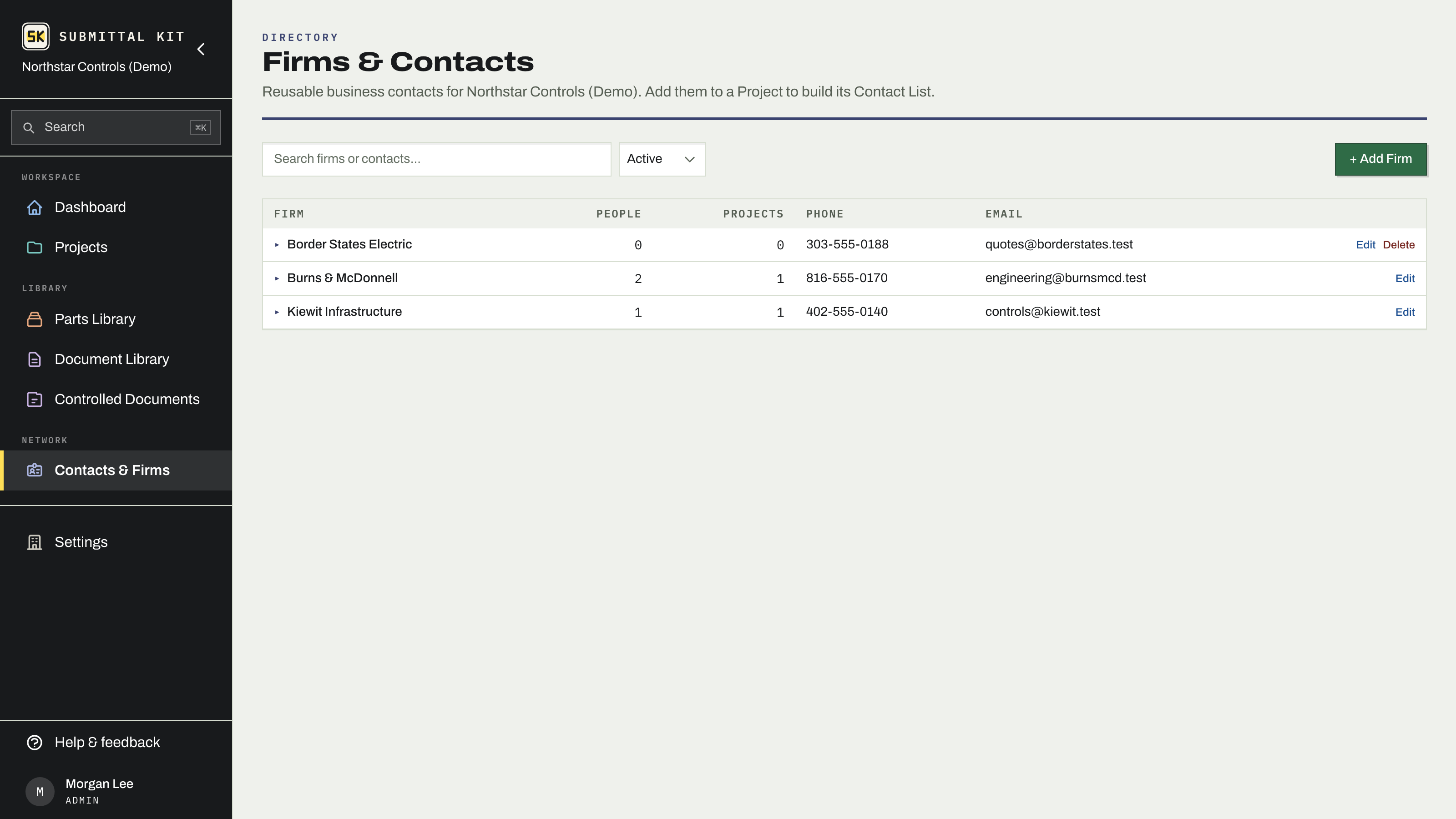
Contacts & Firms in the sidebar opens your company-wide directory of the businesses you work with (GCs, EORs, owners, vendors) and the people at them. The register lists every firm with its people count, project count, phone, and email; click a firm to expand its team right in the table. Search by firm or person, add a firm with its address and details, and add contacts under it. The expanded row shows which projects the firm is on, so "have we worked with this outfit before" has an answer.
Nothing here is deleted out from under history: deactivate a firm or a contact to hide it from pickers while every past record keeps its reference. Reactivate any time. Delete only appears on records nothing references yet.
The project Contact List
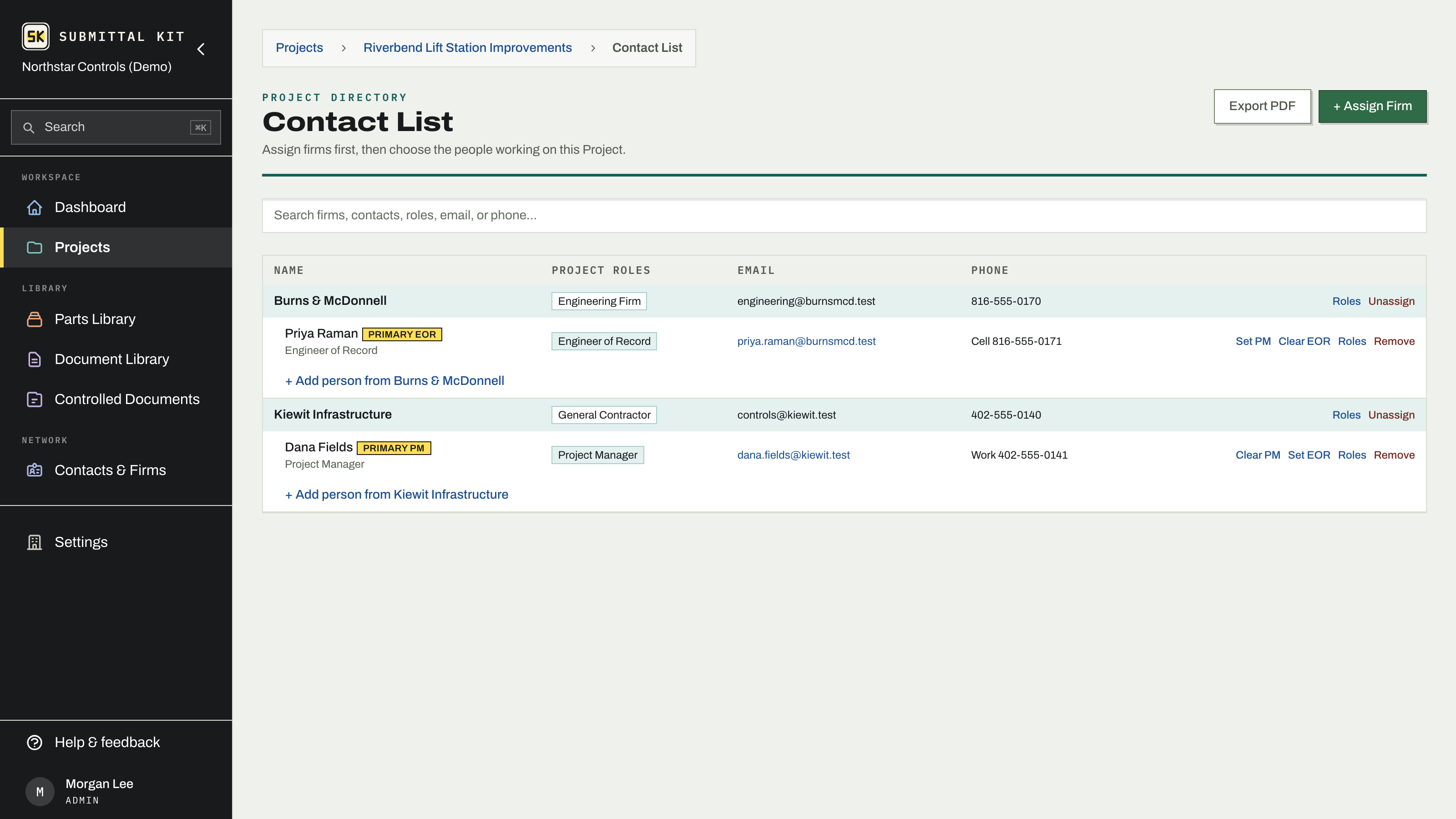
Each project keeps its own Contact List, built from the directory. Assign firms first, then choose the people working on this project:
- Open the project's Contact List page.
- Use + Assign Firm to pick an existing firm from the directory and give it a project role, or create and assign a new firm in one step.
- Add people under each firm with its + Add person row: pick from the directory or create-and-add.
- Mark the primary contact where it matters with Set PM or Set EOR (a Primary PM on the GC, a Primary EOR on the engineer).
A firm's project roles are checkboxes, plus free-text custom roles, so a firm can be both the GC and the party you ship to. Export PDF produces a clean contact sheet to hand to anyone who asks for "the contact list."
Where these contacts show up
The Contact List is not a phone book on the side; it feeds the paperwork. RFI recipients are picked from the project's firms, with company, attention, and address filled from the record (see RFI basics). The client firm on project settings comes from the same list.
People at your own company are a different roster. Teammates who sign in live under Team & access, and the names printed on submittals under Personnel & certifications.
Updated Sep 6, 2026
Can't find it? [email protected]