All guides
Getting started
What is Submittal Kit Create Your Workspace Your First Project Search Everything The Dashboard Help and What's New Abbreviations We UnderstandProjects & Schedule
Project Settings Schedule and MilestonesEquipment Register
Equipment Register Basics Import a BOM Equipment DocumentsParts & Library
The Parts Library Part Documents Find Datasheets The Document Library Search Inside DocumentsSubmittals
Create a Submittal Configure Sections Choose Equipment Scope Compile a Submittal O&M Manuals Submittal Numbering Cover Pages Package LayoutsRevisions & Review
Issue a Revision Submittal Log Returned Reviews Comment Response Log Record an External Submittal Share with an outside reviewerRFIs
RFI Basics RFI Log RFI LayoutsField & QA
Punch Lists As-Built RedlinesSpecifications & Scope
Upload Specifications Spec CheckProcurement & Change Orders
Quotes and Purchase Orders Coverage and Lead Times Change Orders Budget and SOVDirectory & Team
Firms & Contacts Team & Access Personnel & CertificationsSettings & Billing
Company Identity Library Vocabulary Billing and PlansIntegrations
Connect an AgentHelp Directory & Team
View as MarkdownPersonnel & Certifications
Keep the roster of people, positions, phones, and certifications that prints on submittals and manuals.
An Emergency Contacts page with a stale phone number, or a Competent Persons page missing the one certification the GC asked about, is the kind of thing that bounces a package. The Personnel roster is the single place those pages print from.
What the roster is for
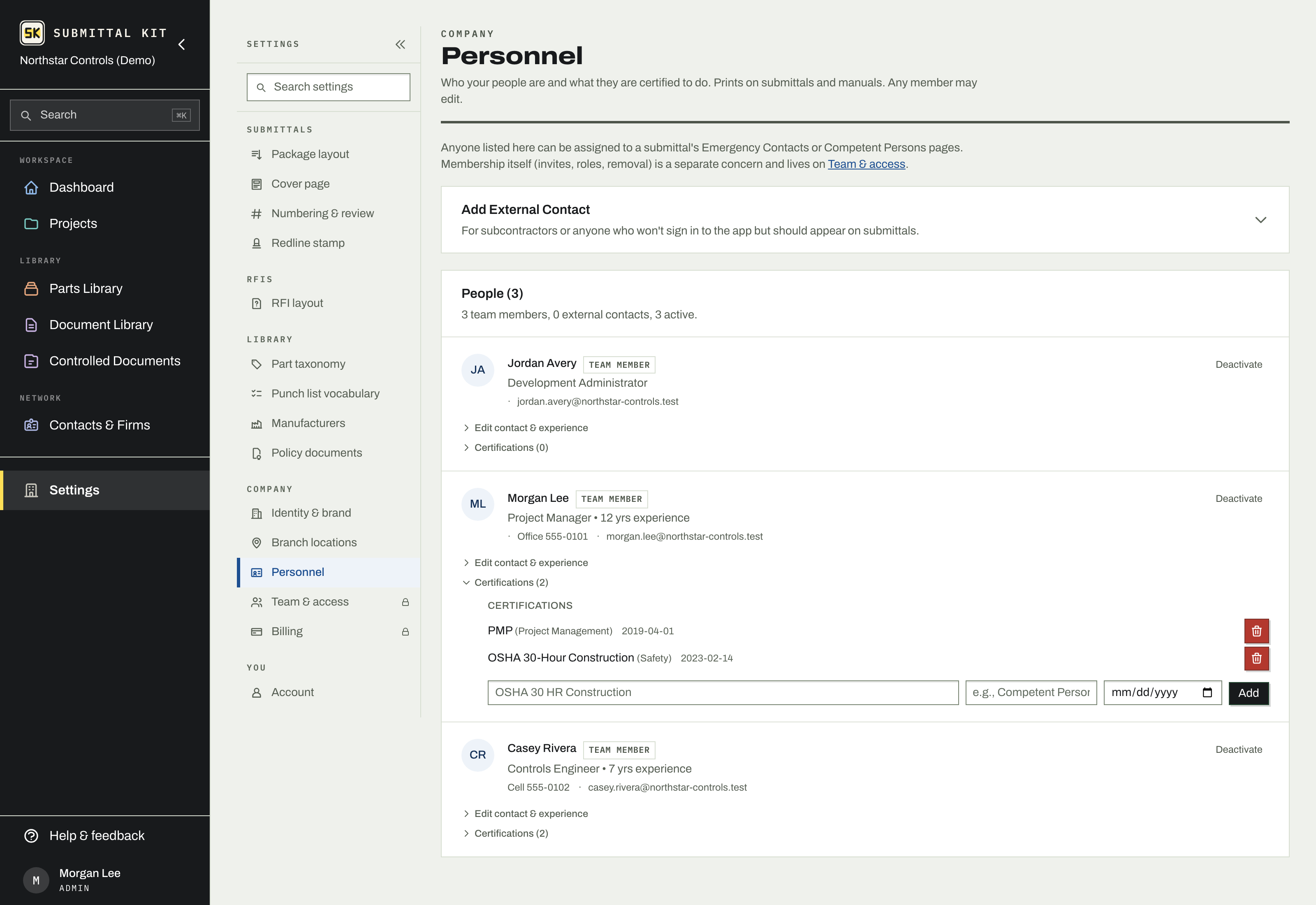
Settings, Personnel lists everyone who can appear on a submittal's Emergency Contacts or Competent Persons pages: name, position, cell and office phone, email, and years of experience. It holds two kinds of people:
- Team members, everyone with a login, who join the roster automatically.
- External contacts, subcontractors or anyone who will not sign in but should appear on submittals. Add them with Add External Contact.
Any member can edit the roster; it is deliberately not locked behind admin, because the person who notices a wrong phone number should be able to fix it. Who may sign in is a separate concern and lives on Team & access.
Certifications
Open a person's entry to list their certifications: the name (OSHA 30 HR Construction), an optional category such as their Competent Person areas, and the certification date. These are what a Competent Persons section prints, so keeping them current here keeps every future package current. Compiled packages and O&M manuals both pull from this roster; see Compile a submittal.
Deactivate a person to hide them from pickers without touching past documents; reactivate any time.
The amber "Name is a guess" flag
When someone joins and never types their name, the app derives one from their email address, and flags it amber: Name is a guess. That guess is exactly what an Emergency Contacts page would print for them, so the flag is worth clearing.
It clears in either of two ways:
- The person sets their real name on their own Account page.
- Anyone edits the entry on the Personnel page and types the correct name.
Either way, the fix applies everywhere at once: the roster, pickers, and every page that prints from it going forward.
Do a roster pass before the first submittal goes out on a project. Two minutes of phone numbers and certifications now beats reissuing a package over a cover page detail later.
Updated Aug 15, 2026
Can't find it? [email protected]